
Copy a page's design to another page or showroom
Last updated September 25, 2026
Export a page's design to reuse it somewhere else: on another page, in another of your showrooms, or to move a page you built on a test site to your live one. Exporting copies the design as a code. Importing pastes that code into a page and replaces what's on it. Anyone who can edit pages can do this.
To duplicate a page within the same showroom, Make a copy in the same menu is quicker. Use export and import when the copy needs to go to another showroom, or onto a page that already exists.
Export the design
- Sign in at https://vyro.co/access.
- Open Pages (under All services at the bottom left of the dashboard) and open the page you want to copy. If your site is in more than one language, each language has its own copy of the page, such as About us (ar-AE): open the one you want.
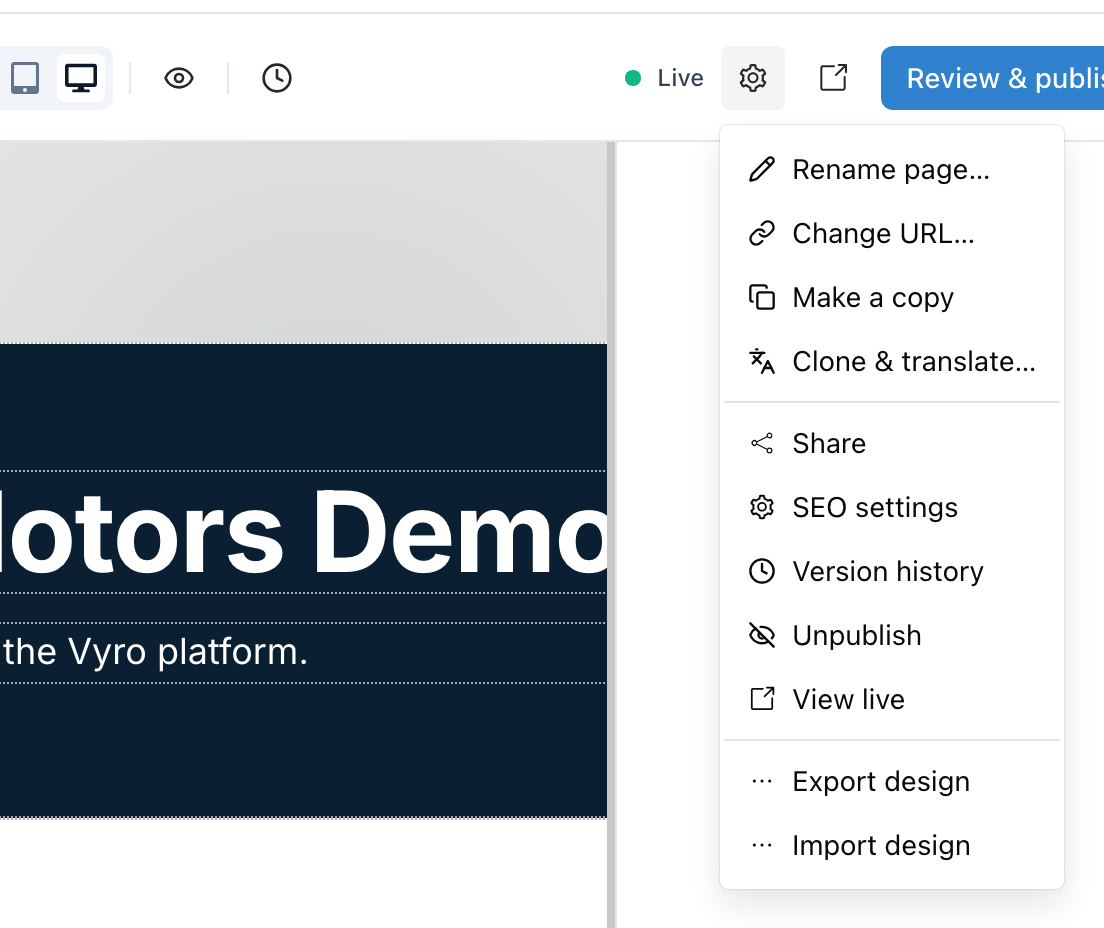
- Select the settings button (the cog) beside the Live or Draft status, near Review & publish.
- Select Export design. The design is copied to your clipboard and Design copied confirms it.
Import it into another page
- Open the page you want to copy the design into. To copy into a new page, create the page first.
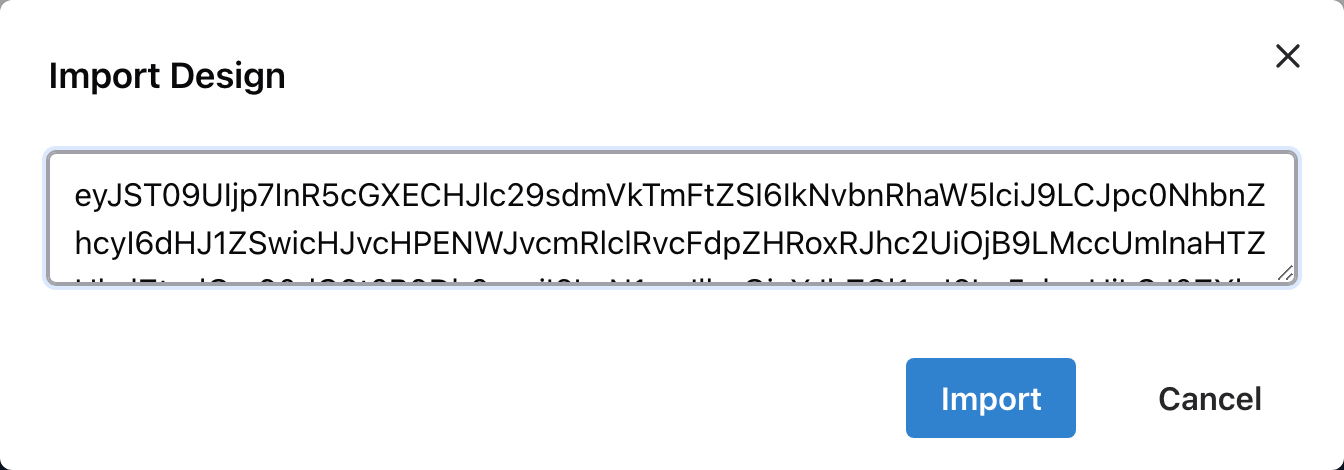
- Select the settings button (the cog), then Import design.
- Paste the code into the box and select Import.
- Check the page in the editor. The imported design replaces what was on the page, and isn't live yet.
- Select Review & publish when you're happy.
Result
The page has the same layout, blocks, text and images as the page you exported. It keeps its own name and URL.
If the import doesn't work
If you see The design appears to be invalid and could not be imported:
- Copy the code again and paste all of it, with no extra spaces or line breaks.
- The design may use a block the other showroom doesn't have, such as a reusable block or a snippet made in the first showroom. Recreate the block in the other showroom first, or remove it from the page and export again.
Good to know
- Nothing changes on your live site until you publish. To keep a copy of the page as it was, export its design before you import over it.
- Links on the page, for example to
/offers, point to the same paths on the other showroom's site. Check they exist there.
Related
Was this article helpful?